What makes a good homepage: the 7 jobs it has to do


Your homepage is the hardest working page on your site and the easiest to get wrong. Everyone arrives there: buyers, browsers, people who half-remember your name. It cannot pitch like a landing page, and it cannot be a brochure nobody reads.
The way out of that tension: stop treating the homepage as one thing. It has seven jobs, and a good one does all seven in a single scroll. Here they are, in the order a visitor meets them.
1. Say what you do, fast
The five-second test decides everything after it. A stranger lands and must be able to answer: what is this, is it for me, why this one. That is a headline with the concrete offer, one supporting line, and zero riddles. "Perform like never before" needs a subtitle that does the explaining; clever without clear is decoration.
2. Show it, do not decorate it
Visuals communicate faster than words, which cuts both ways. One strong image of your actual work, product or place beats any stock photo of people laughing at laptops. Real photos build recognition; generic ones build nothing and cost load time.
3. Earn trust immediately
Visitors doubt by default. Reviews with names, client logos, real numbers, a case with an outcome: pick your strongest proof and put it high on the page, not buried at the bottom. One honest, concrete piece of evidence outperforms a wall of anonymous stars.
4. Route people to the right place
The homepage is a junction, not a destination. Someone needs pricing, someone else your services, a third wants to see work you did. Clear navigation and scannable sections let each of them self-serve in one click. If everything is equally prominent, nothing is; the menu deserves as much design attention as the hero.
5. Ask for the next step
Every screen of scrolling should offer an obvious action: book a call, get a quote, see the work. One primary action, visually unmissable, repeated down the page. A homepage without a clear ask turns interested visitors into closed tabs. The deeper rules of asking well are the same ones behind landing pages that convert.
6. Be findable
Your homepage carries your strongest search weight, so spend it deliberately. A title and headline that name what you do and where, text that uses the words customers search for, and links into your service pages. That last part matters more than people think: the homepage passes authority to every page it links.
7. Work flawlessly on a phone
Most first visits happen on mobile, so the phone version is the version. Readable without zooming, buttons made for thumbs, and fast on mobile data; past a few seconds of loading, visitors leave before your headline gets its chance. Speed is job seven and secretly part of the other six, which is why it gets its own guide.
These seven jobs are our design brief when we build sites: see the web design service. And if your current homepage fails several at once, a structured rebuild via the redesign checklist beats patching.
Score your own homepage
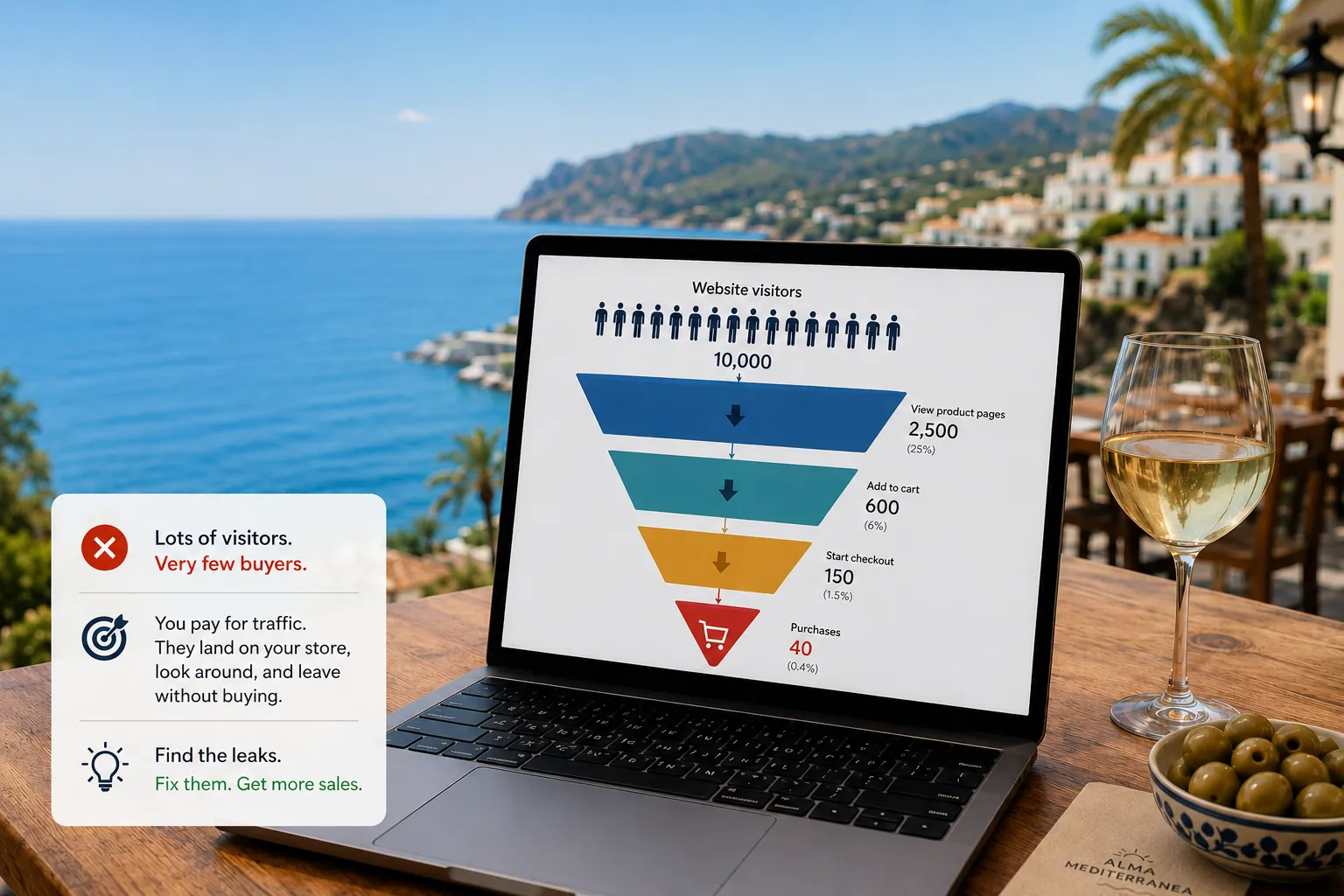
Open your site on your phone and grade the seven jobs honestly: clear in five seconds, real visuals, visible proof, obvious routes, a clear ask, findable words, flawless on mobile. Five or more? Improve, do not rebuild. Three or fewer, and the page works against the money you spend bringing people to it; the fix usually pays for itself, as the leaks in traffic without sales show.
Frequently asked questions
How much text should a homepage have?
Less than most homepages carry, more than a poster. Enough to say what you do, who it is for and why you, in scannable pieces. Long explanations belong on service pages; the homepage routes people there.
Should I use a slider or carousel on my homepage?
No. Rotating banners split your message, slow the page down and get ignored; visitors rarely see slide two. Pick your strongest message and give it the full stage.
Is a video background a good idea?
Usually not. Video weighs megabytes, delays everything else and competes with your headline. If motion truly serves your brand, use a short, compressed clip without sound, and test what it does to your load time on a phone first.
How often should a homepage change?
When your offer, positioning or best proof changes, not on a calendar. Review it a few times a year: are the numbers, reviews and services still current? A dated homepage quietly undoes the trust the rest of the site builds.
Want a site that earns its keep?
We build fast, conversion-focused websites for small businesses, and we are honest about when you do not need us yet.
See our web design service